How to easily set IP address of multiple controllers with nano EDGE ENGINE in the building?
In today’s digital landscape, managing IP addresses efficiently is crucial for network administration. The IP Manager view in iC Tool offers a robust solution for organizations looking to streamline their IP address management. This article provides an in-depth knowledge of how to do the IP addressing of all controllers on the network using the free-of-charge iC Tool and dedicated view IP Manager.

Figure 1. Open space with 6 VAV controllers responsible for the ventilation system.
This article will guide you through how to assign IP addresses to devices already installed on your site in 6 steps.
1. Open iC Tool software.
2. Open the IP manager view – choose 1 from 3 available options to open the view:
Accessing the IP Manager from the main menu
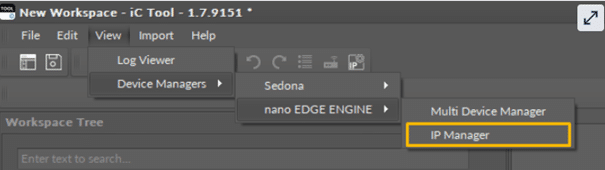
Accessing the IP Manager from the top bar

Accessing the IP Manager from the context menu of the Site
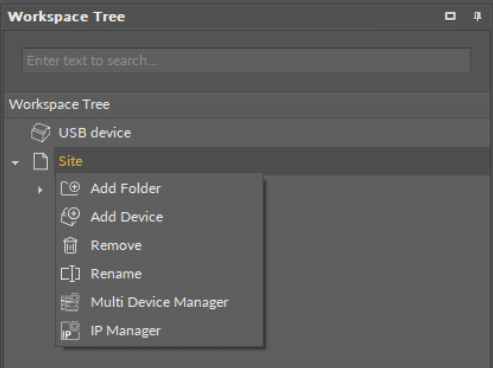
3. Select the ethernet adapter used for the communication with the IP network in the building:
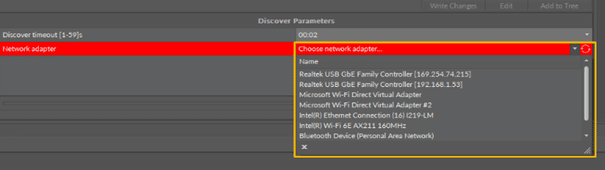
4. Discover you network

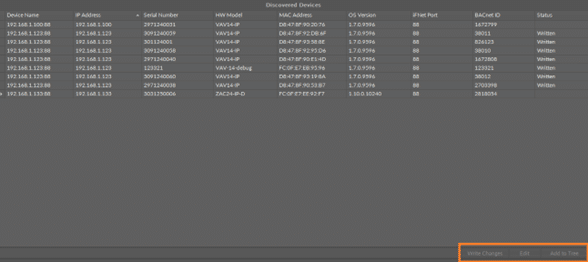
The Discover function allows to locate and identify nano EDGE ENGINE devices on a network. Each of the devices responds with their identification information, including their device name, existing IP address, serial number, hardware model, MAC address, nano EDGE ENGINE OS version, iFnet port and BACnet ID.
The function is very similar to well-known in building automation systems, BACnet Discover functions, which enhance the interoperability and efficiency by providing easier integration and management of various devices.
Our building network analyzed in this article looks as follows:
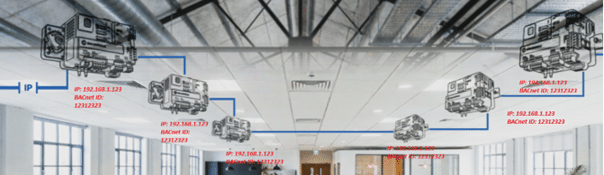
Figure 2. VAV14-IP with factory IP address:192.168.1.123
5. Select the devices to change the IP address.
6. Edit IP setting for selected controllers
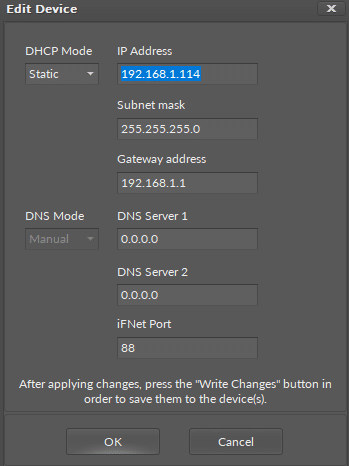
Depend on the number of selected controllers to edit, you have options:
View when editing a single device.
View when editing multiple devices.
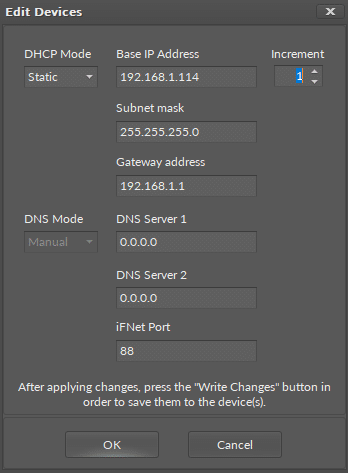
Assing the IP address can be done via DHCP (Dynamic Host Configuration Protocol) automatically assigns IP addresses and other network configuration settings to devices on a network, simplifying the process of connecting to the internet.
Choosing the static IP address option, we provide the base (first) IP address from which we will start upwards incrementation.
In the analyzed object it looks as follows:
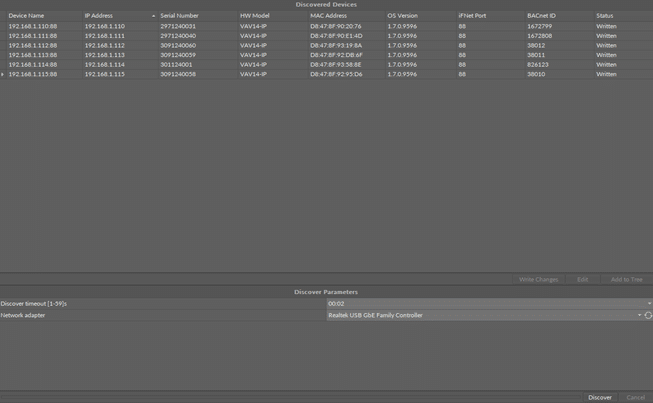
Figure 3. VAV14-IP with assigned IP addresses.
The addresses correspond to the indicated devices.
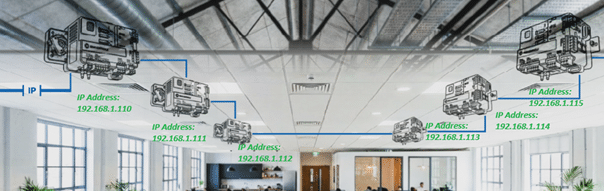
Figure 4: VAV14-IP with assigned IP addresses.
The IP Manager is a powerful tool designed to simplify IP address management for organizations of all sizes. With its user-friendly interface, robust features, and focus on security, it stands out as a valuable asset in network management.